AI module provenance
Being able to trace an AI module provenance is key to the FAIR principles, ensuring reproducibility and building trust in the module’s predictions.
That’s why every time a module’s CI/CD pipeline is executed, we build a provenance chain of that module. Based on the module’s metadata, we parse the different platform components, gathering all the provenance information into a single RDF file (example). These sources include:
Jenkins: we extract build information, like code quality tests or docker image hashes,
Nomad: we extract training information, like what were the computing resources used to train a given module,
MLflow: we extract experiment logging information, like the hyper-parameters used in the different training runs,
Module’s metadata: we extract module information like relevant keywords, external links or creation/modification dates,
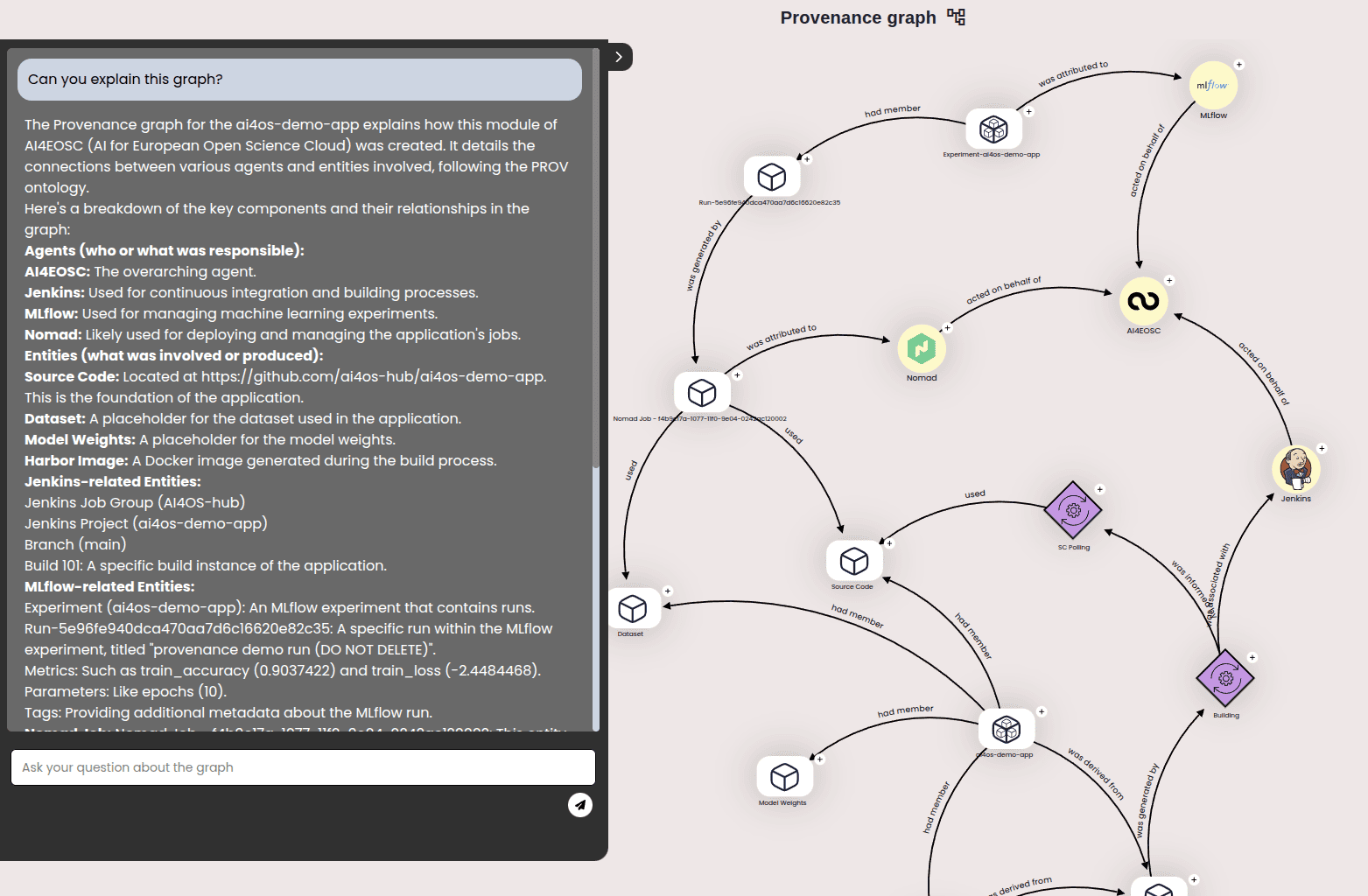
In addition, this RDF file explains the connection between the different components, like how the Nomad deployment used a given dataset for training the module, or how Jenkins generated a new Harbor docker image.
For an improved user experience, we show users the final provenance chain in a simplified interactive graph (example):
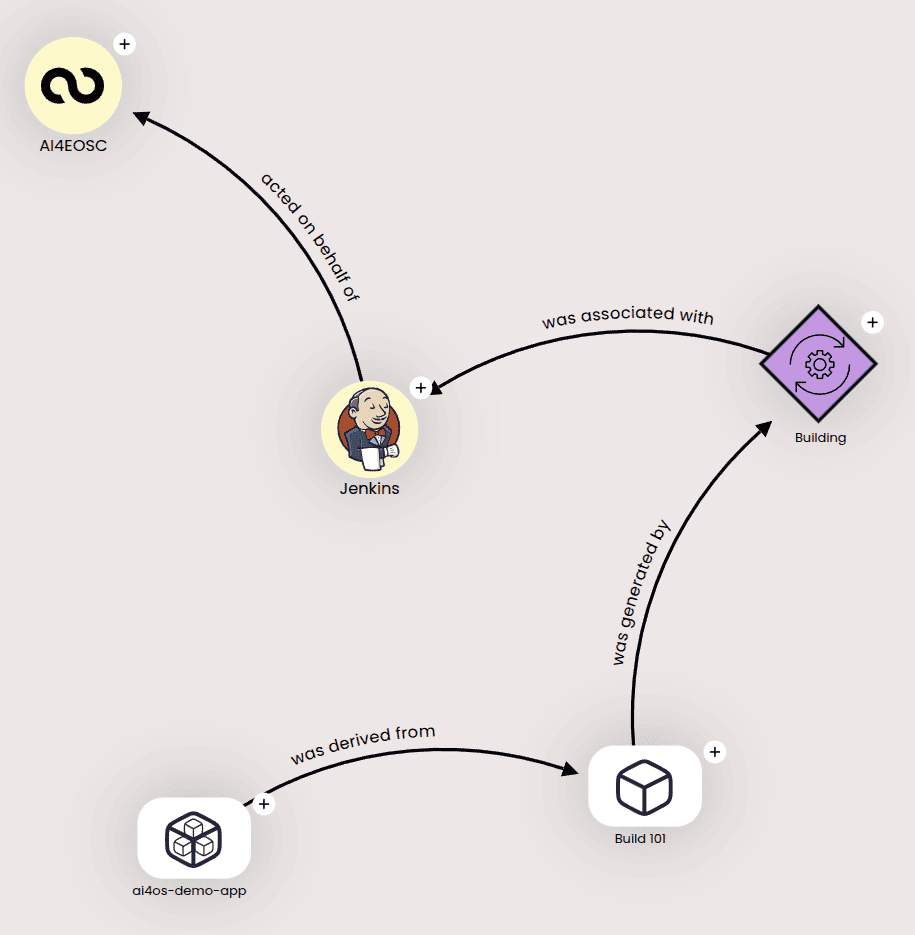
that can be expanded for further details:
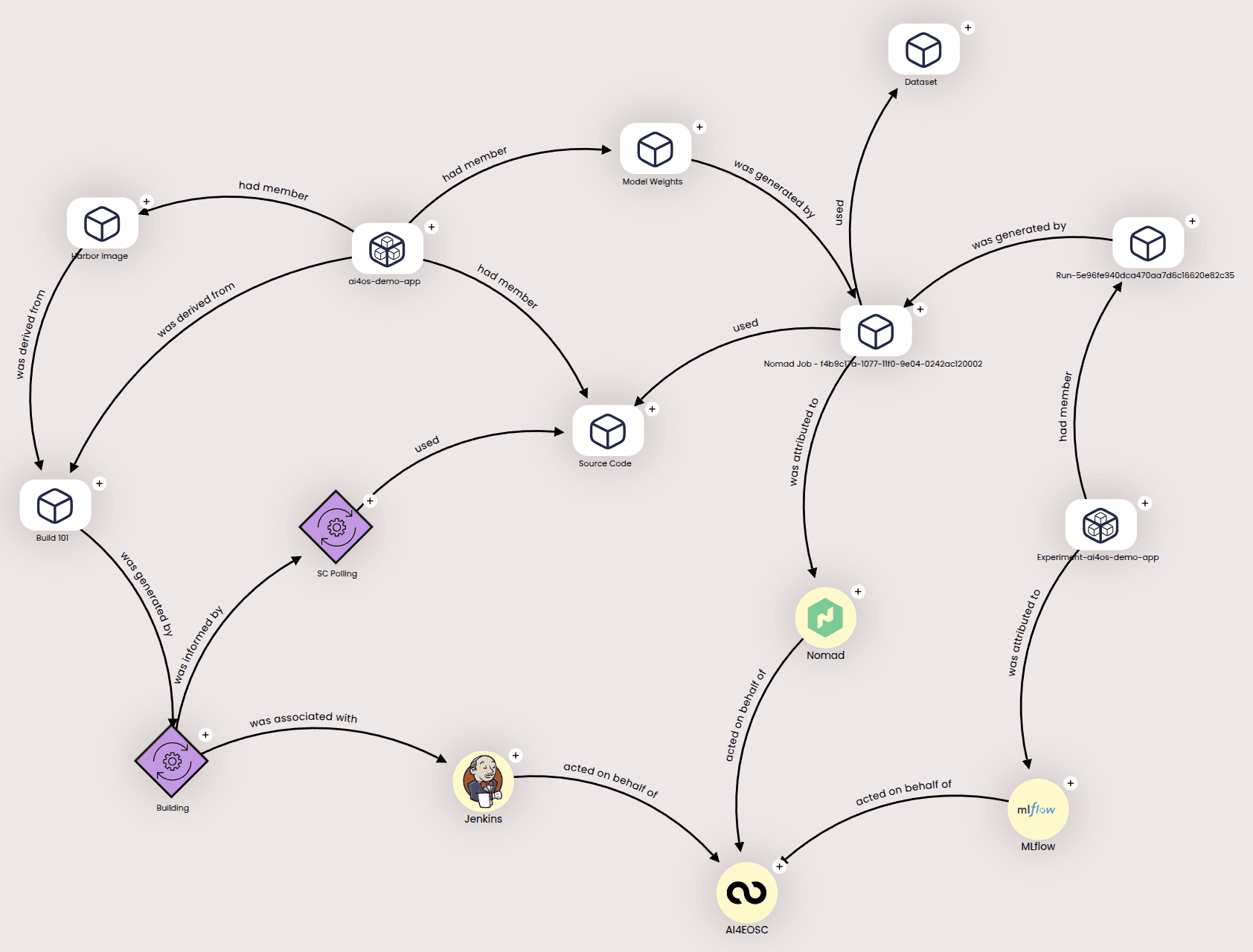
For each module, both the RDF and the graph links are available in the Dashboard’s module details, under the Provenance section in the right panel.
Finally, you can ask a chat bot assistant questions about the graph and it will use the underlying RDF file to offer grounded answers.